
Now on iOS & Android
Make your workouts look pro on Reels and TikTok.
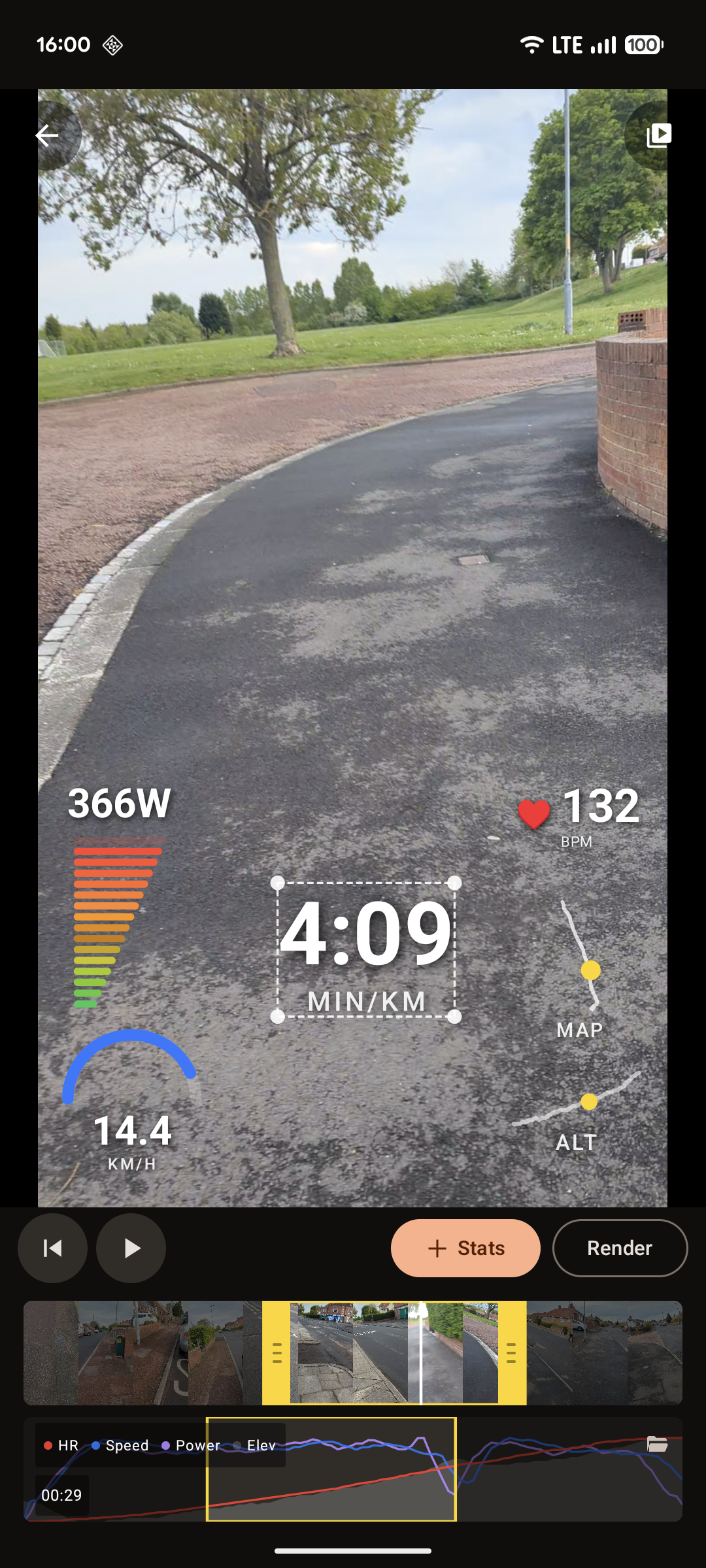
Render a phone-shot ride or run with live stats overlaid, straight from your phone. No laptop required.
Start with a 7-day free trial. Cancel anytime.
In 90 seconds
Three taps from raw clip to ready-to-post.
-
 1
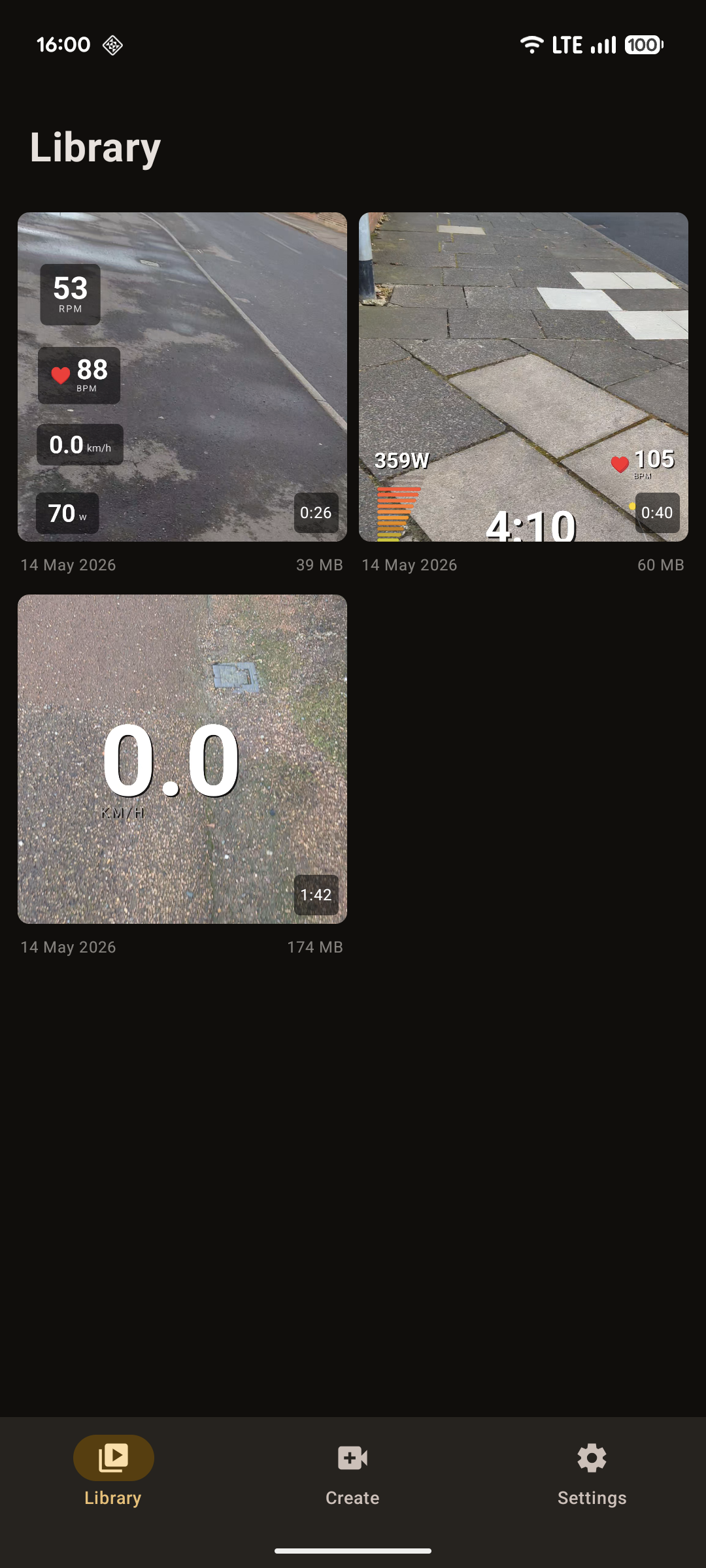
1Pick a video.
Any clip from your camera roll - bike ride, run, indoor session.
-
Step 2 of 3
Pair your activity
Connect StravaPull recent activitiesOr drop in a file.FIT · .GPX · .TCXFrom Garmin, Wahoo, Coros…Recent●Morning ride42.1 km · 1h 38m●Tempo run8.0 km · 38m2Pair your activity.
Pull straight from Strava, or drop in a .FIT, .GPX, or .TCX file from your watch or head unit.
-
 3
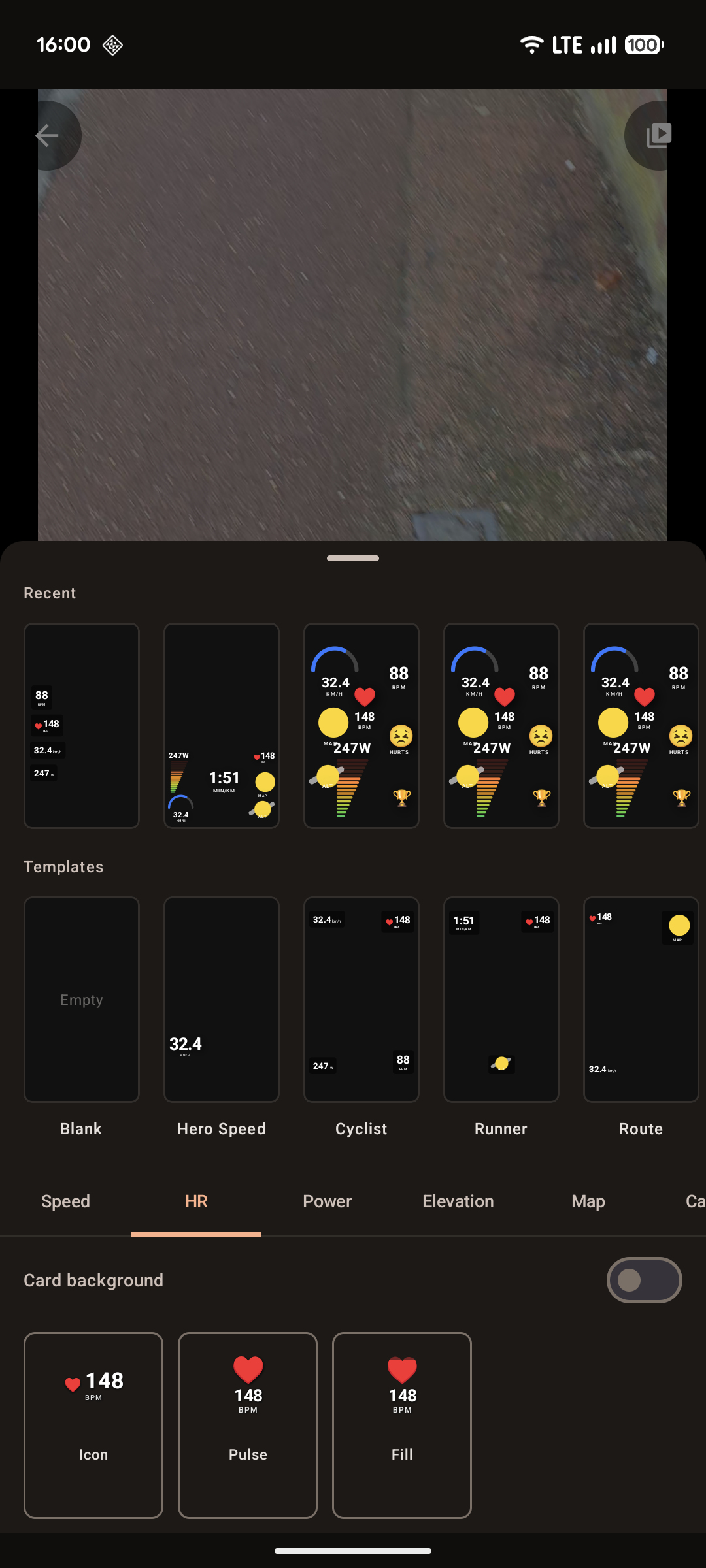
3Choose a template, post.
Tap render → share to Instagram, TikTok, or save to your camera roll.
What you get
Designed for the post, not the spreadsheet.
Live data overlays
Heart rate, power, speed, cadence, elevation, route map, alignment bar - 17 widget variants. Drag to place, pinch to resize.
Templates that just look good
Hand-tuned designs. Not a configure-it-yourself dashboard you have to learn.
Strava-connected
Connect your Strava and pull recent rides in seconds. Read-only, disconnect anytime.
Works offline
Render entirely on your phone. Your video never touches our servers - because we don't have any.
Reels & TikTok ready
1080p portrait output, audio passthrough, no extra cropping. Save to your camera roll or one-tap share.
Bike or run
Designed for cyclists and runners. Templates for swim, triathlon and trail are on the roadmap.
Your videos and workout data stay on your phone. We have no backend and no way to see them. We never will.
Every render runs on-device using your phone's hardware video encoder. The only network call the app makes is to your own Strava account, and only when you choose to connect it.
Pricing
Free to try. Pro when you're posting.
Free
Try the app- Try the full editor
- Render any clip
- Medium-quality export
- Watermark + one rewarded ad per render
Pro
Most popularMonthly or yearly.
Price shown in your App Store or Google Play. Yearly saves around 50% versus monthly.
- Unlimited renders
- No watermark, no ads
- Full export quality (up to 1080p60)
- First in line for new Pro features
- 7-day free trial
Subscriptions auto-renew unless cancelled at least 24 hours before the end of the current period. Manage anytime in your App Store or Google Play account.
- How do I add workout stats to a video?
- Shoot your ride or run on your phone, then use overlay.fit to render the clip with live stats overlaid - heart rate, power, speed, cadence, elevation and an animated route map. Pull the data from Strava or a .FIT, .GPX or .TCX file, pick a template, and export a 1080p portrait video ready for Reels or TikTok. It all happens on your phone in about 90 seconds - no laptop or desktop editor needed.
- Can I put my heart rate, speed and route map on a Reel or TikTok?
- Yes. overlay.fit overlays live heart-rate, speed, power, cadence, elevation and an animated route map onto your workout video, then exports in 1080p portrait sized for Instagram Reels and TikTok. Choose from hand-tuned templates and drag any widget to place it.
- What sports does it support?
- Cycling and running today. Templates for swim, triathlon and trail are on the roadmap.
- Where does my workout data come from?
- Three options: connect your Strava account (read-only - you can disconnect anytime), or drop in a .FIT, .GPX or .TCX file exported from your Garmin, Wahoo, Coros, Apple Watch, Polar or Suunto.
- Does it work offline?
- Yes - everything happens on your phone. You'll only need a connection when first connecting Strava.
- How long does a render take?
- A 60-second clip renders in roughly 15-25 seconds on a modern iPhone or Android flagship. Older mid-range phones might take 60-120 seconds.
- Will it drain my battery?
- Rendering uses your phone's hardware video encoder, which is efficient. A few renders won't dent a typical day.
- Can I cancel anytime?
- Yes - manage your subscription anytime in your App Store or Google Play account settings. Cancelling stops the next renewal; you keep Pro until the current period ends.
- Do you train AI on my data?
- No. We don't see your data at all - it never leaves your device.